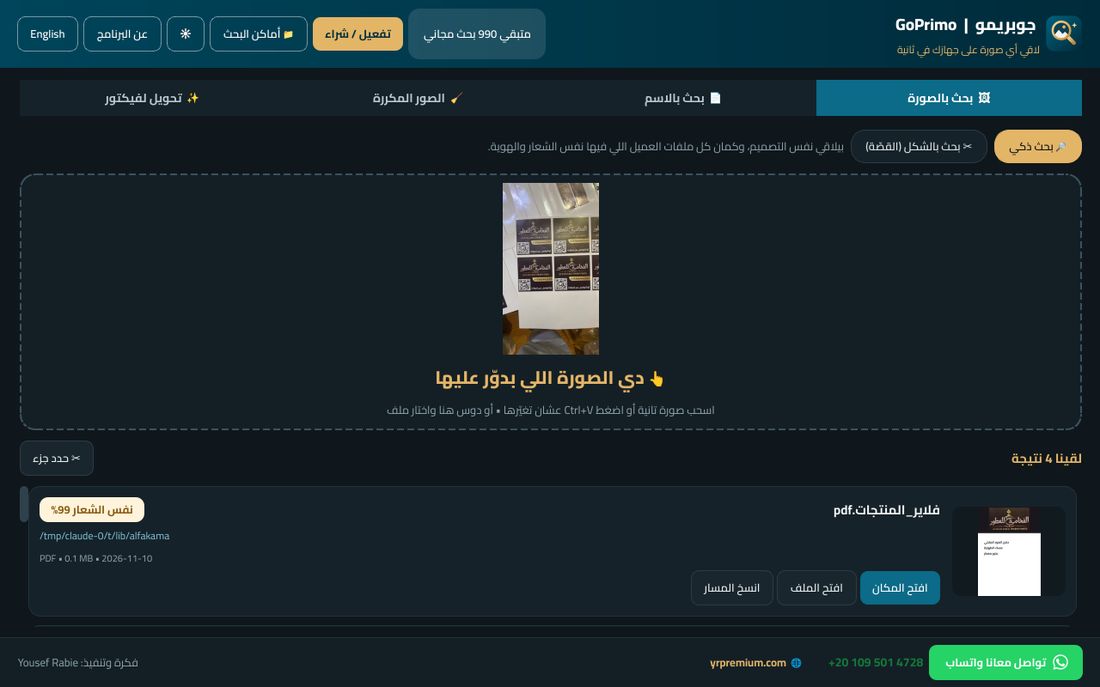
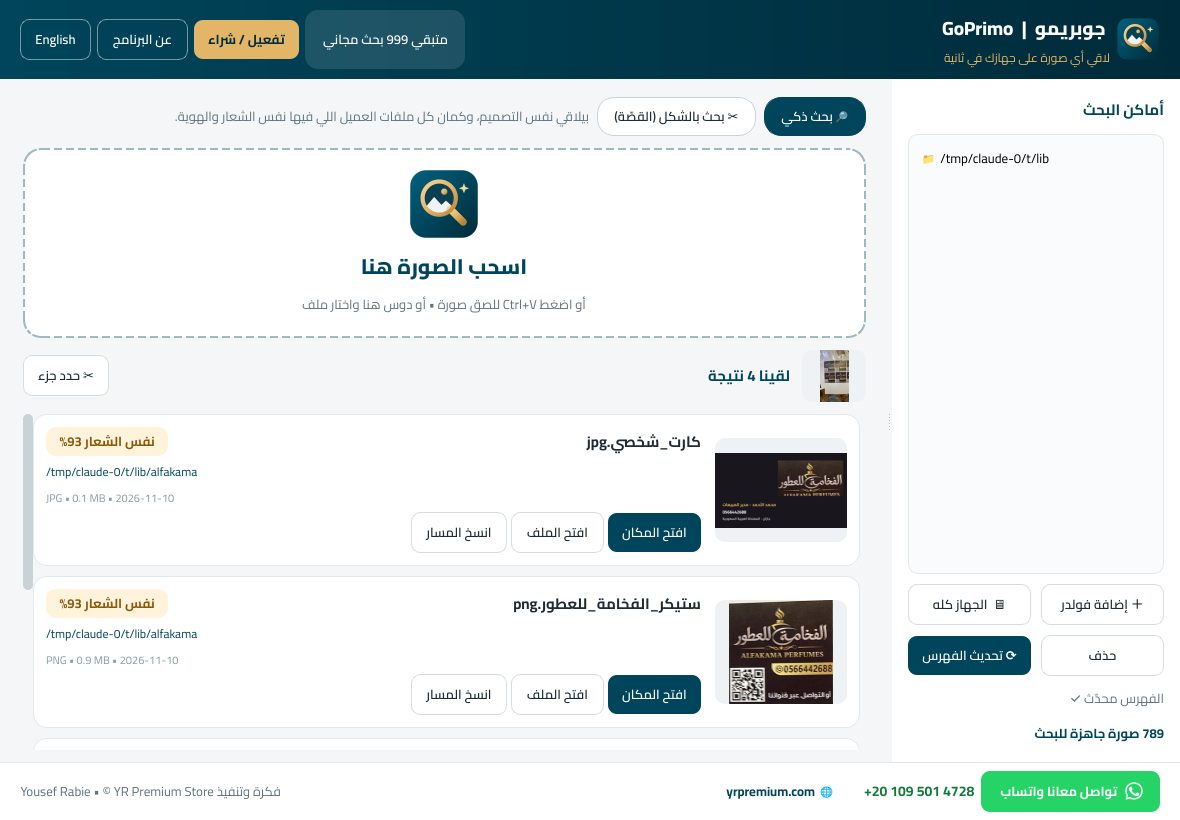
اسحب الصورة في جوبريمو، وهو يدوّر في جهازك كله ويقولك الـ PSD أو الـ AI الأصلي محفوظ فين — حتى لو الصورة اتبعتت على واتساب، أو متصورة بالموبايل، أو مقصوصة.Drop the image into GoPrimo and it searches your whole PC and tells you where the original PSD or AI is saved — even if the picture came through WhatsApp, was shot on a phone, or cropped.
1000 بحث + 20 تحويل فيكتور مجاناً • ويندوز 10 و11 • عربي وإنجليزي1,000 searches + 20 vector conversions free • Windows 10 & 11 • Arabic & English

من غير ما تفتكر اسم الملف ولا مكانه.No need to remember the file name or where you saved it.
من واتساب، أو سكرين شوت، أو صورة بالموبايل. أو كليك يمين على أي صورة ← «دوّر بجوبريمو».From WhatsApp, a screenshot, or a phone photo. Or right-click any image → “Find with GoPrimo”.
بيقارن الصورة بكل صورك وتصاميمك — JPG وPNG وPSD وAI وEPS وPDF — في أقل من ثانية.It compares it with all your images and designs — JPG, PNG, PSD, AI, EPS, PDF — in under a second.
دوسة واحدة وتلاقي الفولدر مفتوح والملف متعلّم عليه.One click opens the folder with the file selected.
معمول مخصوص للمصممين والمطابع والمصورين والوكالات.Built for designers, print shops, photographers and agencies.
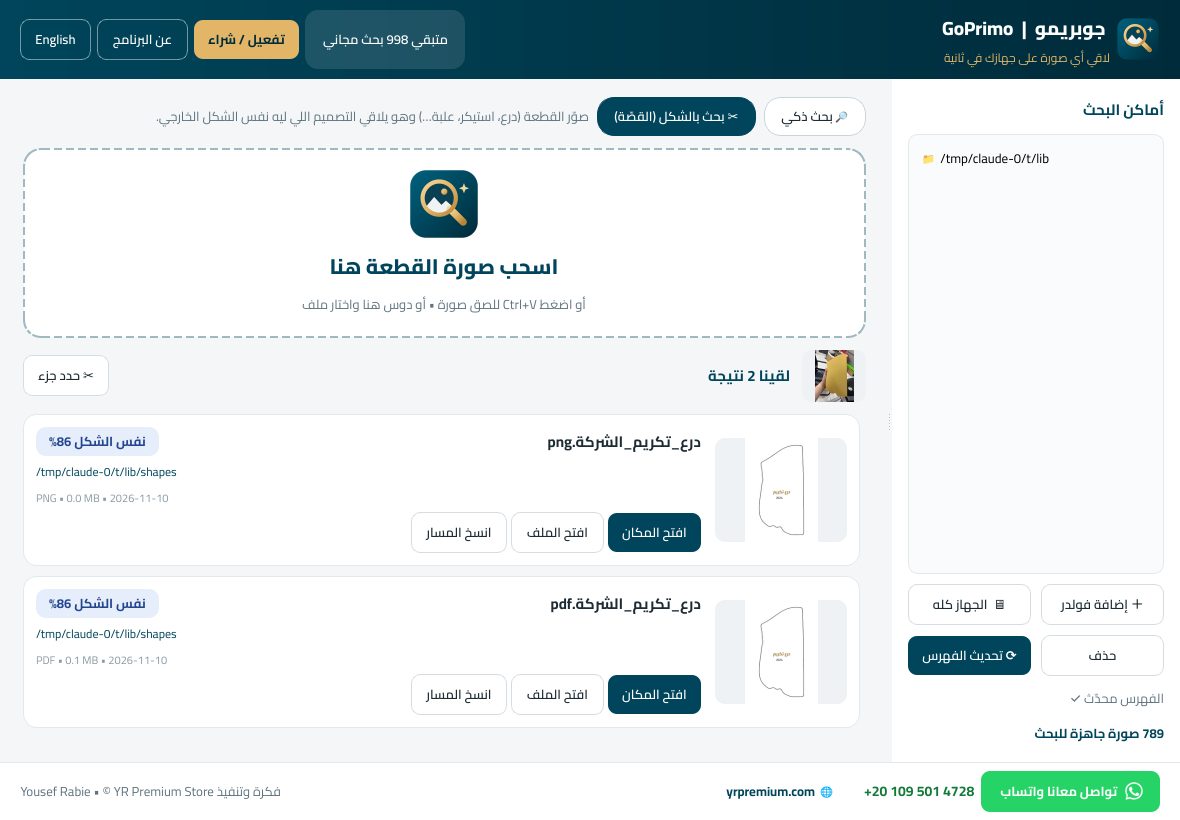
صوّر الدرع أو الاستيكر المقصوص، ويلاقي التصميم اللي ليه نفس الشكل الخارجي.Photograph a cut plaque or sticker and find the design with the same outline.
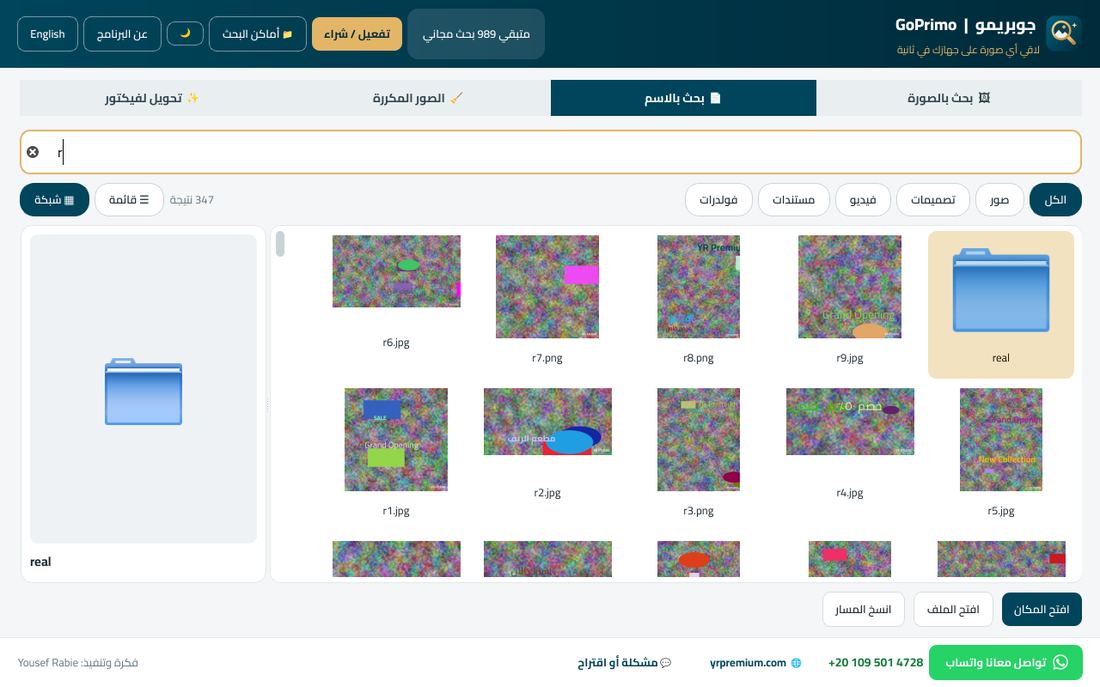
زي Everything: اكتب جزء من الاسم والنتايج تظهر وإنت بتكتب، كقايمة أو شبكة صور كبيرة، مع معاينة تكبّرها.Like Everything: results as you type, as a list or a big-thumbnail grid, with a zoomable preview.
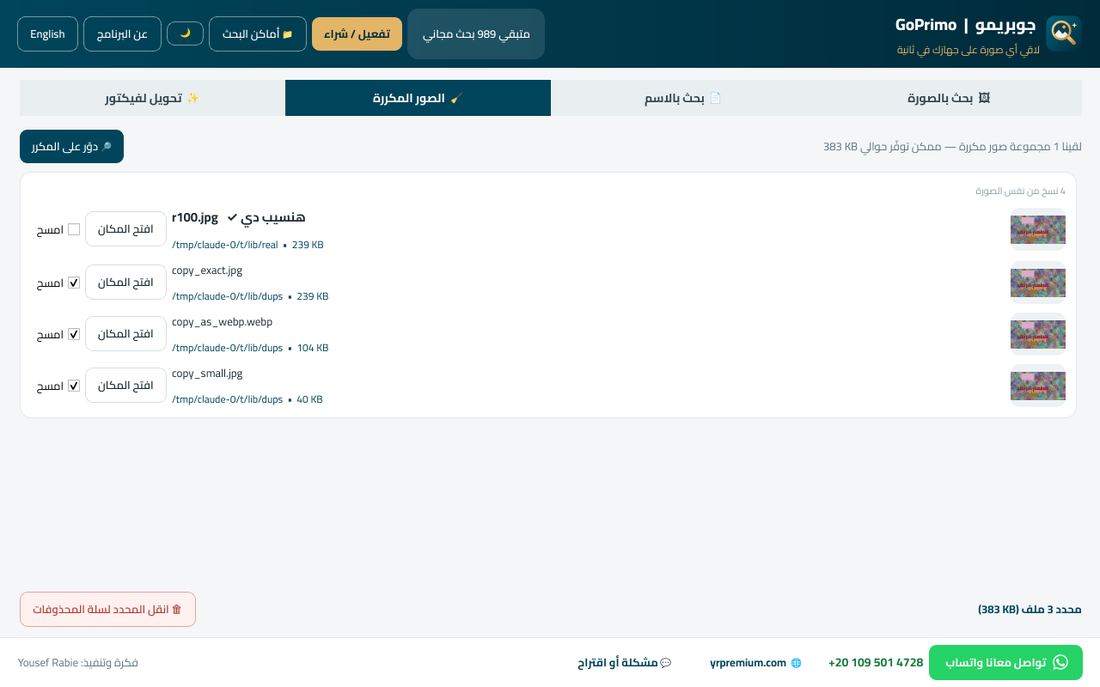
بيقارن بكسل بكسل، ويعرض كل مجموعة أول ما يلاقيها فتمسح وهو لسه بيدوّر. والمسح بيروح لسلة المحذوفات.Pixel-by-pixel check; each group shows up as soon as it's found so you can delete while it keeps looking. Deletes go to the Recycle Bin.
مش بيلفّ في الجهاز لوحده، وبيجهّز الصور مرة واحدة بأقل أولوية. وفيه اختيار «جهّز بس لما الجهاز يكون فاضي» يقف تماماً وانت شغال.No surprise scanning; images are prepared once at low priority — or only while you're away from the PC, if you choose.
على أي صورة أو PSD أو AI أو PDF في الويندوز، وكمان انسخ صورة من واتساب وهو يسألك: أدوّر عليها؟On any image, PSD, AI or PDF in Windows — or copy an image from WhatsApp and it offers to search.
شكل ليلي مريح للعين، وأيقونة جنب الساعة بقايمة سريعة: بحث بالصورة، من الحافظة، فيكتور.An easy-on-the-eyes dark theme, plus a tray icon with quick actions: search, from clipboard, vectorize.
كل البحث والتحويل بيحصل على جهازك، ومفيش ولا صورة بتطلع برّه.All searching and converting happens on your PC — no image ever leaves it.
أول ما تفتحه بيعرّفك على كل حاجة في خطوات بسيطة، عربي أو إنجليزي.A quick tour on first launch shows you everything, in Arabic or English.
بيبلغك بالتحديثات الجديدة، وفيه زرار «مشكلة أو اقتراح» يوصلك بينا على طول.Get notified of new versions, and a “Problem or idea” button reaches us directly.
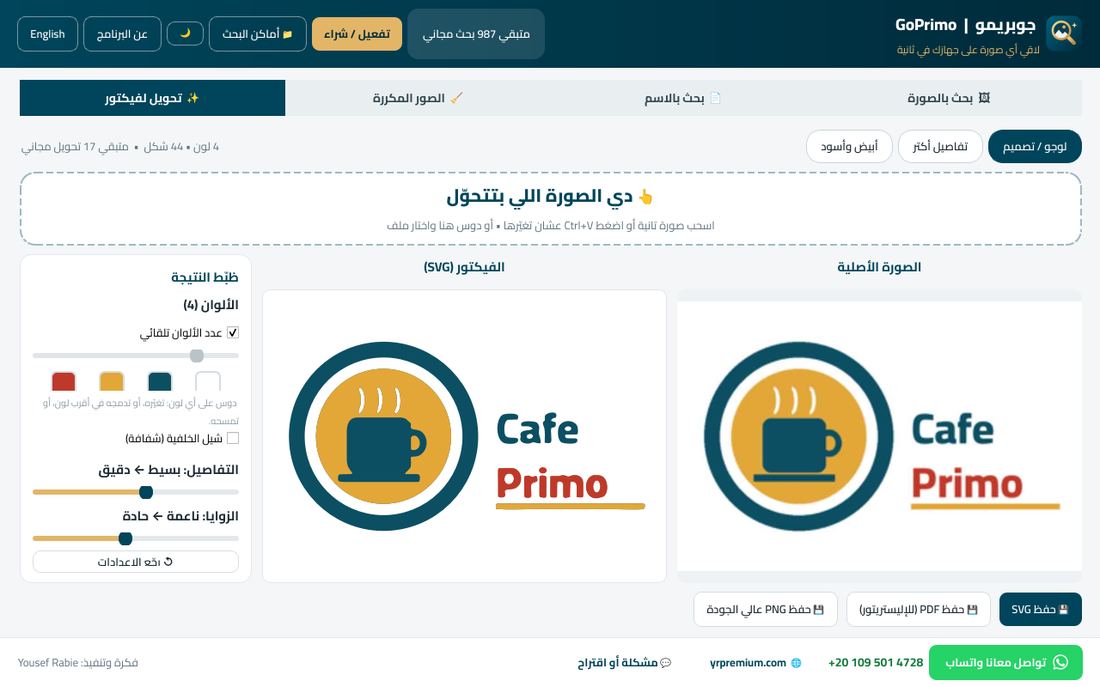
العميل بعت اللوجو صورة واتساب مضروبة؟ جوبريمو يحوّلها لفيكتور نضيف تكبّره براحتك وتطبعه بأي مقاس.Client sent a blurry WhatsApp logo? GoPrimo turns it into a clean vector you can scale and print at any size.
↔ اسحب الخط عشان تقارن↔ Drag the line to compare
واجهة عربي وإنجليزي، بسيطة وواضحة.Clean Arabic & English interface.


جرّبه ببلاش الأول، وادفع لما تتأكد إنه بيوفّرلك وقت.Try it free first — pay once you see the time it saves you.
الدفع والتفعيل عن طريق واتساب: تبعتلنا، تدفع، يوصلك كود التفعيل في دقايق.Pay and activate via WhatsApp: message us, pay, and get your activation code within minutes.
لأ خالص. كل البحث بيحصل على جهازك، والصور مش بتطلع منه.No. All searching happens on your PC; your images never leave it.
أيوه، بيقرأ PSD وPSB، وملفات AI المحفوظة بخاصية PDF Compatible، وEPS (من المعاينة المحفوظة جوه الملف)، وPDF، ومعاهم كل أنواع الصور.Yes — PSD, PSB, AI files saved as PDF-compatible, EPS (via the preview saved inside), PDF, plus all common image types.
بتختار الفولدرات (أو الجهاز كله) ويجهّزها مرة واحدة بأقل أولوية، فتقدر تشتغل عادي. بعد كده مش بيلفّ لوحده، ولما تضيف ملفات جديدة تدوس «تحديث الفهرس».You pick the folders (or the whole PC) and it prepares them once at low priority, so you can keep working. It never scans on its own after that — press “Refresh index” when you add new files.
لأ. مش بيشتغل مع بداية الويندوز إلا لو انت فعّلت ده، ومش بيدوّر غير لما تطلب، وبيفضّي الذاكرة لما يخلص.No. It doesn't start with Windows unless you enable it, only scans when asked, and frees memory when idle.
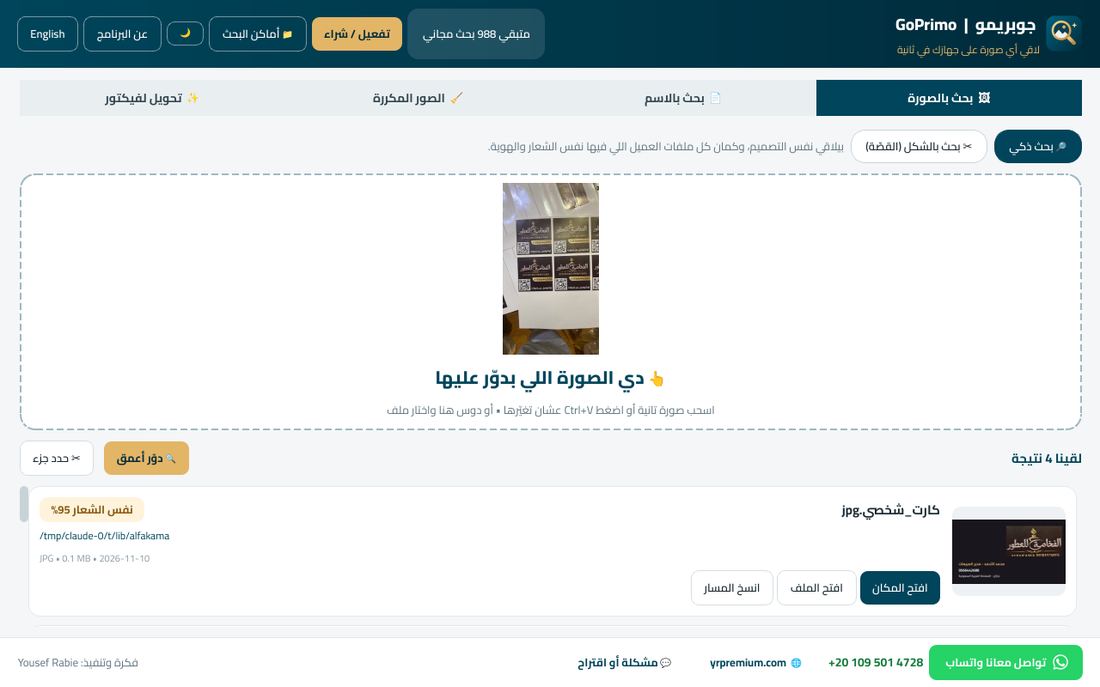
أيوه. دوس «دوّر أعمق» وهو هيقرا الكلام اللي في الصورة (اسم المؤسسة، الرقم الموحد، التليفون) ويطلّع الملف اللي فيه نفس الكلام في الأول، ويأخر اللي شكله شبهه بس الكلام مختلف.Yes. Press “Search deeper”: it reads the text (company name, ID number, phone) and puts the file with the same words first, pushing look-alikes with different text down.
ممتاز للوجوهات والتصاميم ذات الألوان المسطّحة: بيطلّع الدواير دواير مظبوطة والخطوط مستقيمة والكيرفات ناعمة بأقل عدد نقط، وبنفس ألوان الأصل. وتقدر تظبط الألوان والتفاصيل والزوايا وتشوف النتيجة فوراً.Excellent for logos and flat-colour designs, with live colour and detail controls. Photos come out in a flat-colour style.
دي رسالة عادية بتظهر لأي برنامج جديد. دوس «More info» وبعدين «Run anyway».That's normal for new apps. Click “More info”, then “Run anyway”.
كل كود بيشتغل على جهاز واحد. كلمنا على واتساب ونفعّلهولك على جهازك الجديد.Each code works on one PC. Message us on WhatsApp and we'll move it to your new PC.